动画 · Animation · ▶ 在线运行案例
案例合集: 三维可视化功能案例(threehub.cn)
开源仓库github地址: https://github.com/z2586300277/three-cesium-examples
**400个案例代码: ** 网盘链接
你将学到什么
requestAnimationFrame构建 渲染循环THREE.Clock计算帧间隔与 FPSmesh.rotateY()每帧增量旋转
效果说明
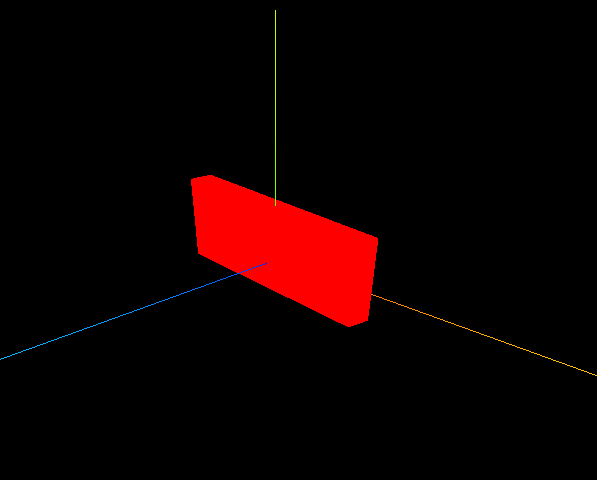
红色立方体 持续绕 Y 轴旋转。控制台输出每帧时间间隔(毫秒)和估算 FPS。
核心概念
渲染循环
function render() {
    renderer.render(scene, camera);
    mesh.rotateY(0.01);              // 每帧旋转 0.01 弧度
    requestAnimationFrame(render);   // 浏览器下一帧再调用
}
render();  // 启动
requestAnimationFrame(rAF)与显示器刷新率同步(通常 60Hz),比 setInterval 更平滑且后台标签页会自动暂停。
Clock 计时
const clock = new THREE.Clock();

function render() {
    const delta = clock.getDelta();  // 距上一帧秒数
    const ms = delta * 1000;
    console.log('帧间隔(ms)', ms, 'FPS', 1000 / ms);

    mesh.rotateY(0.01);
    renderer.render(scene, camera);
    requestAnimationFrame(render);
}
帧率相关: 旋转速度用固定 0.01 弧度/帧时,60FPS 和 30FPS 下 实际转速不同。生产环境应 mesh.rotateY(speed * delta) 保证帧率无关。
实现步骤
- 创建静态 Scene / Mesh / Camera / Renderer
new THREE.Clock()render()内:getDelta → rotate → render → rAF
代码要点
import * as THREE from 'three';

// 场景
const scene = new THREE.Scene();// 创建场景
const geometry = new THREE.BoxGeometry(10, 60, 100); //几何体
const material = new THREE.MeshBasicMaterial({ color: 0xff0000 }); //材质
const mesh = new THREE.Mesh(geometry, material); //网格模型
mesh.position.set(0, 10, 0); //网格模型位置
scene.add(mesh);  //场景添加网格模型

// AxesHelper
const axesHelper = new THREE.AxesHelper(150);
scene.add(axesHelper);

// 相机
const camera = new THREE.PerspectiveCamera();  //相机
camera.position.set(200, 200, 200); //相机位置
camera.lookAt(0, 10, 0);   //相机观察位置

// 渲染器
const renderer = new THREE.WebGLRenderer(); // 创建渲染器
const box = document.getElementById('box');
renderer.setSize(box.clientWidth, box.clientHeight); //渲染区域
renderer.render(scene, camera); //执行渲染
box.appendChild(renderer.domElement);

// 渲染函数
const clock = new THREE.Clock();
function render() {
    const spt = clock.getDelta() * 1000;//毫秒
    console.log('两帧渲染时间间隔(毫秒)', spt);
    console.log('帧率FPS', 1000 / spt);

    renderer.render(scene, camera); //执行渲染操作
    mesh.rotateY(0.01);//每次绕y轴旋转0.01弧度
    requestAnimationFrame(render);//请求再次执行渲染函数render,渲染下一帧
}
render();
完整源码:GitHub
小结
- 本文提供 动画 完整 Three.js 源码与在线 Demo,建议先运行案例再改 uniform/参数做二次实验
- 更多 Three.js 实战案例见 three-cesium-examples 合集 与 GitHub 开源仓库